Care operations, connected
One secure platform for your entire care operation.
ClientCentric connects clients, staff, assignments, schedules, visits, documentation, time records, communication, and operational oversight in one role-based platform.
Built from real-world home and community-based care workflows — not adapted from generic business software.
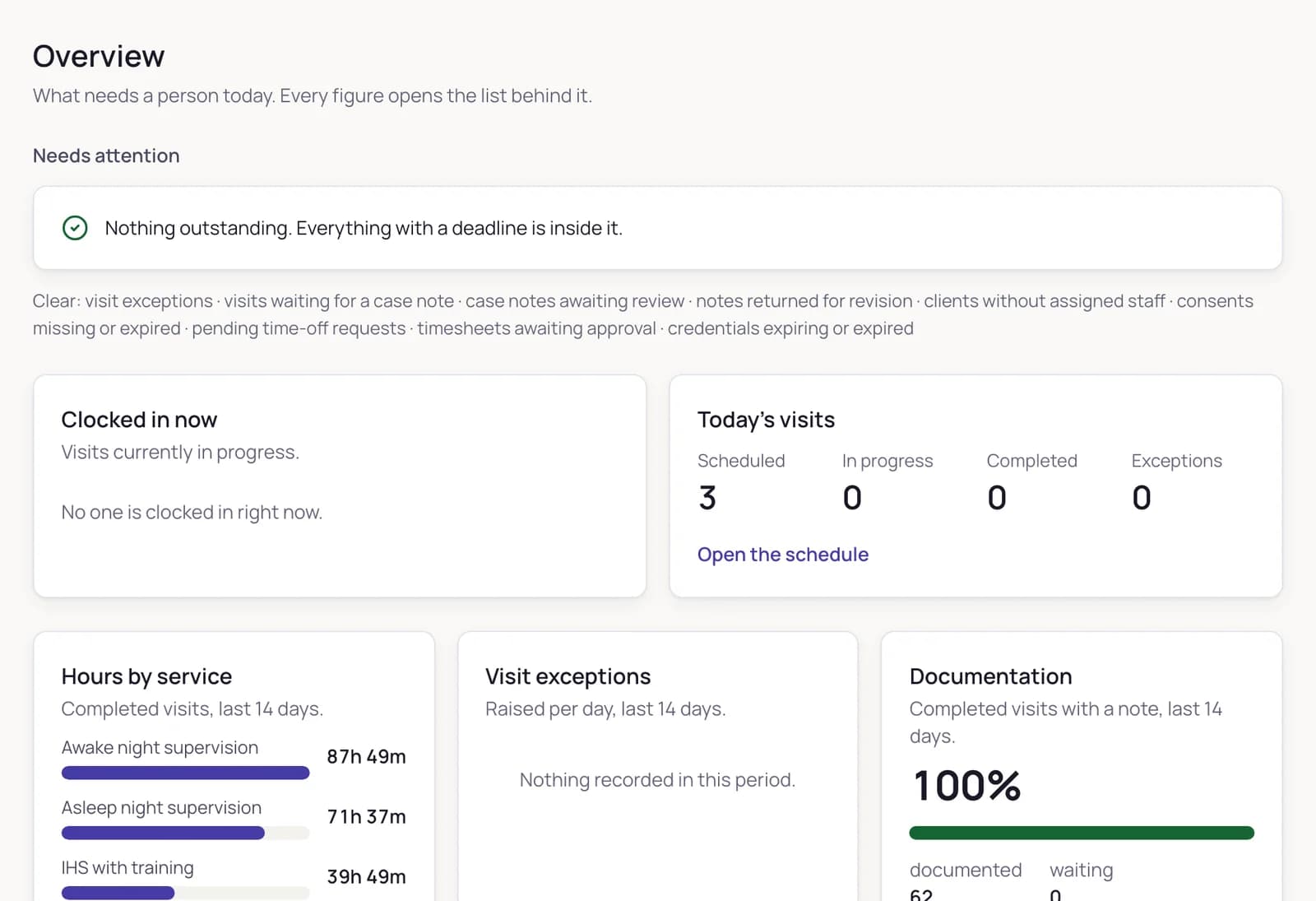
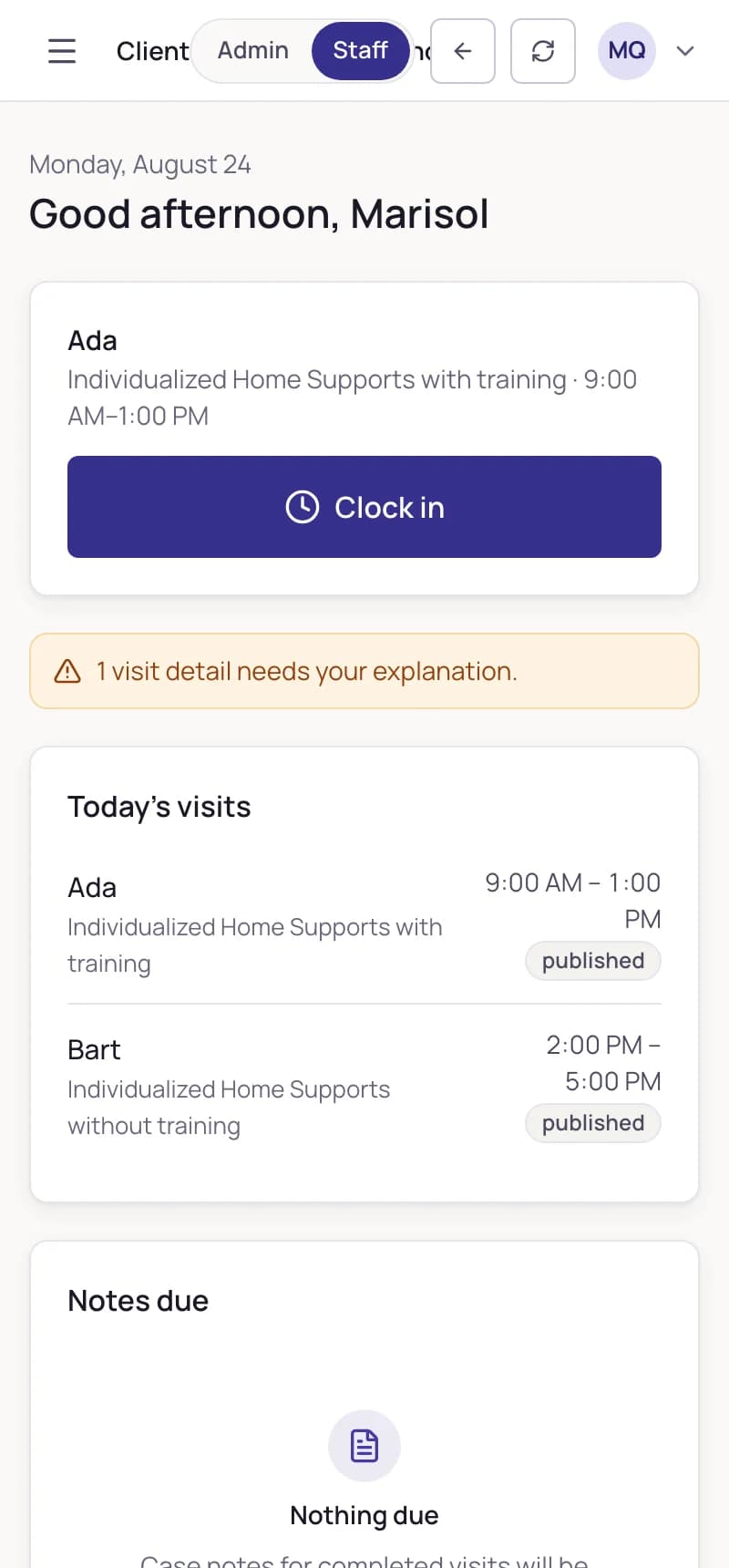
Real screens from the interactive demo — fictional data
- demo modules, one system
- 22demo modules, one system
- tabs on every client record
- 11tabs on every client record
- role planes and invitation-only access, enforced server-side
- 2role planes and invitation-only access, enforced server-side
- release runs the security and end-to-end suites
- Everyrelease runs the security and end-to-end suites
- 08:02 · Desmond Achterberg signed in
- 08:11 · Marisol Quintero assigned to Josephine Ravensworth
- 09:04 · Marisol Quintero clocked in · location captured
- 13:02 · clock-out · time entry created · note due
- 13:40 · case note submitted for review
- 16:20 · case note approved · record locked
- 16:21 · addendum added · original unchanged
- 17:05 · Hours by staff member exported · recorded
- 18:30 · visit exception resolved
- 21:36 · document viewed · recorded
The problem01
Most agencies run on four tools that do not talk to each other — and a person remembering is the glue.
A scheduler, a spreadsheet of hours, a shared drive, and paper. The cost is not the licence fees. It is that nothing reconciles — and the day it matters is a review.
The visit
happened — but the note lives in a different tool, if it exists at all.
The hours
were typed into a spreadsheet from memory. Twice, differently.
The approval
was a text message somebody has since deleted.
The audit
is a week of reconstruction, under a deadline you did not set.
The workflow02
One connected workflow — from assignment to audit.
The platform is valuable because the steps are joined. Each one produces the next, and every screen below is the real product.
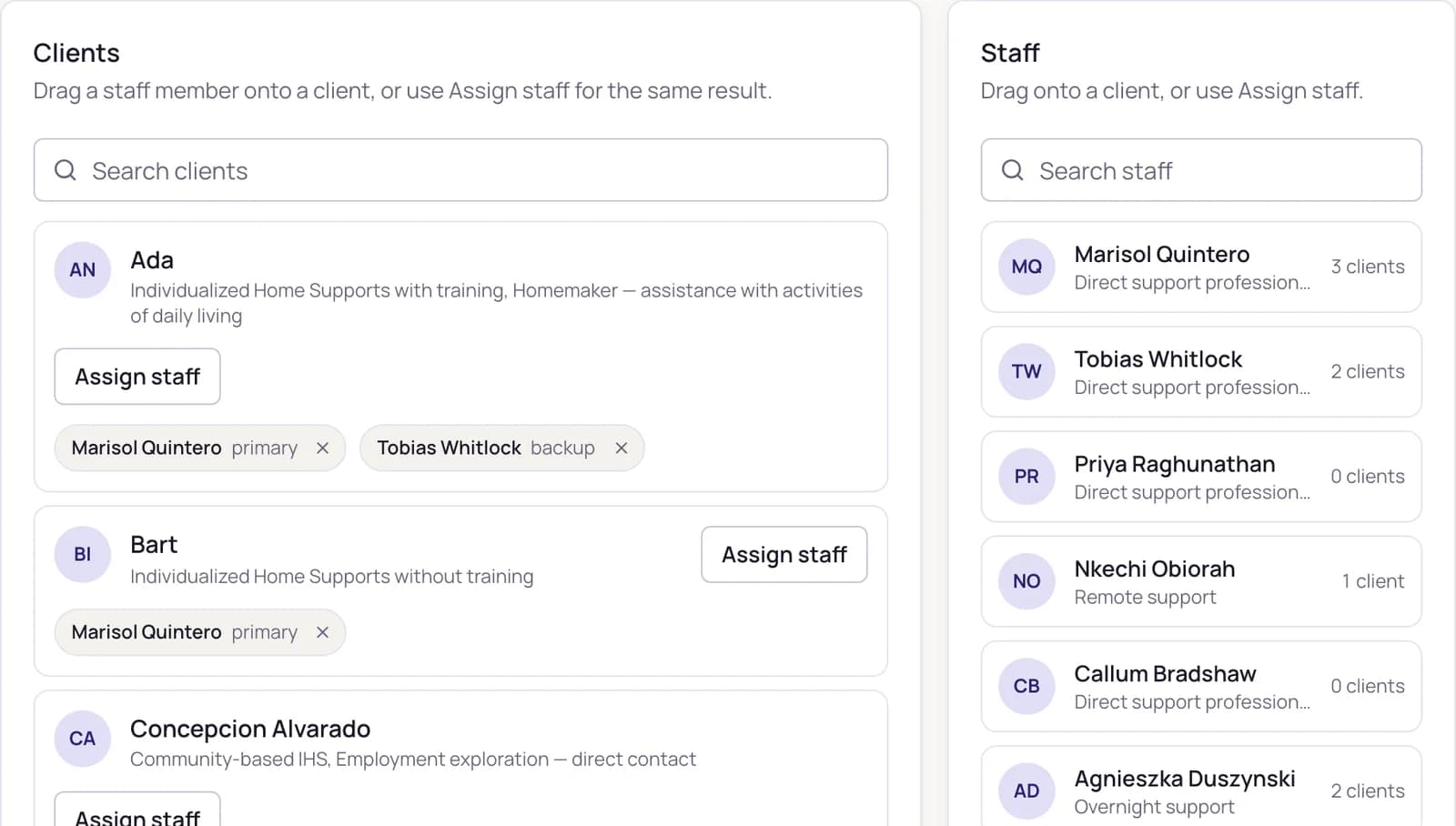
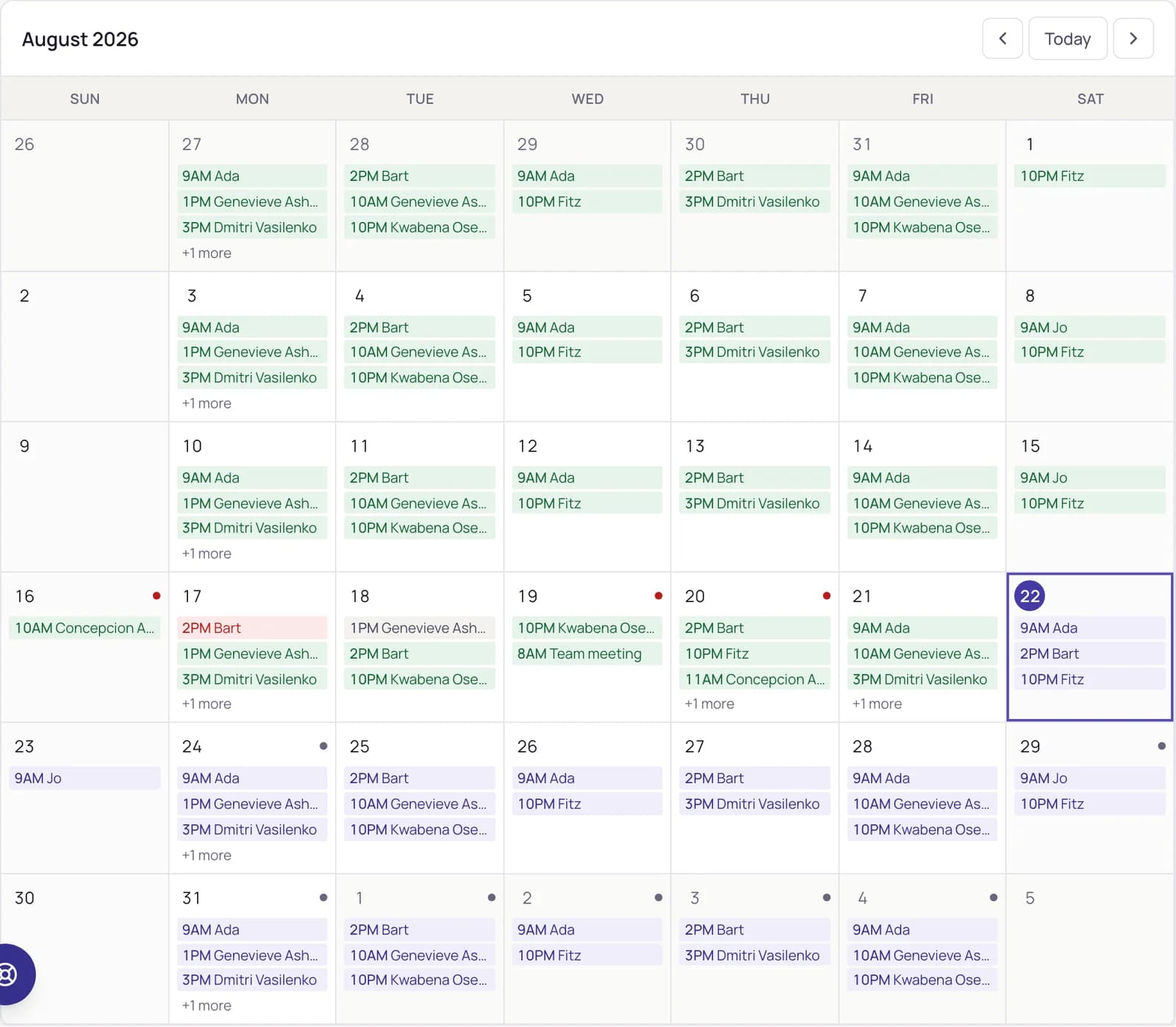
Assign. An administrator assigns a staff member to a client. That single act grants access — the client appears in their list, their search and their schedule, immediately.
Role-based access03
Every person sees exactly what their role requires.
Client assignment decides what a staff member can reach — not a setting somebody remembers to apply. The assignment itself is the access, in both directions.
Administrator
- Full operational overview
- Client and staff management
- Assignment controls
- Everyone's schedule
- Review queues
- Reports and audit history
- Policy settings
Staff
- Today's work and one-tap clocking
- Assigned clients only
- Case notes and their deadlines
- Their own timesheet
- Time off and messages
Clients they are not assigned to are not listed, not searchable, and not reachable by typing the address — the denial does not even confirm the record exists.
Try it in the demo → assign a client, switch to the staff view, and watch access appear. Then take it away.
The client record04
A record that holds the whole story.
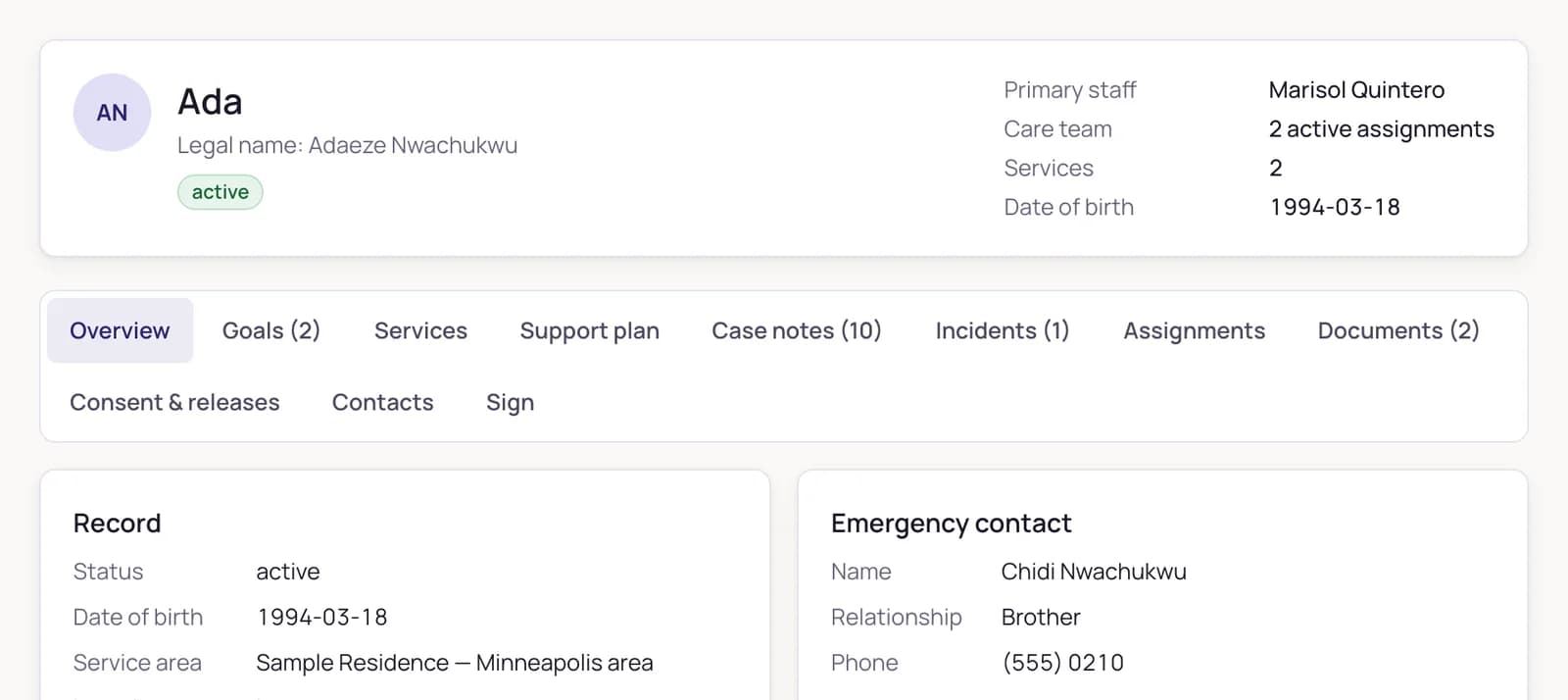
Eleven tabs on one record: overview, goals with method and measure, services, support plan, case notes, incidents, assignments, documents, consent and releases, contacts, and signature documents. Every tab is its own access surface — opening the record does not mean seeing everything on it.
- Consents tracked with expiry, surfaced before they lapse
- A disclosure log that records every release
- Documents delivered by short-lived links, verified before anyone opens them
- Signature documents a client signs with one button

Oversight05
Operational clarity, not another dashboard.
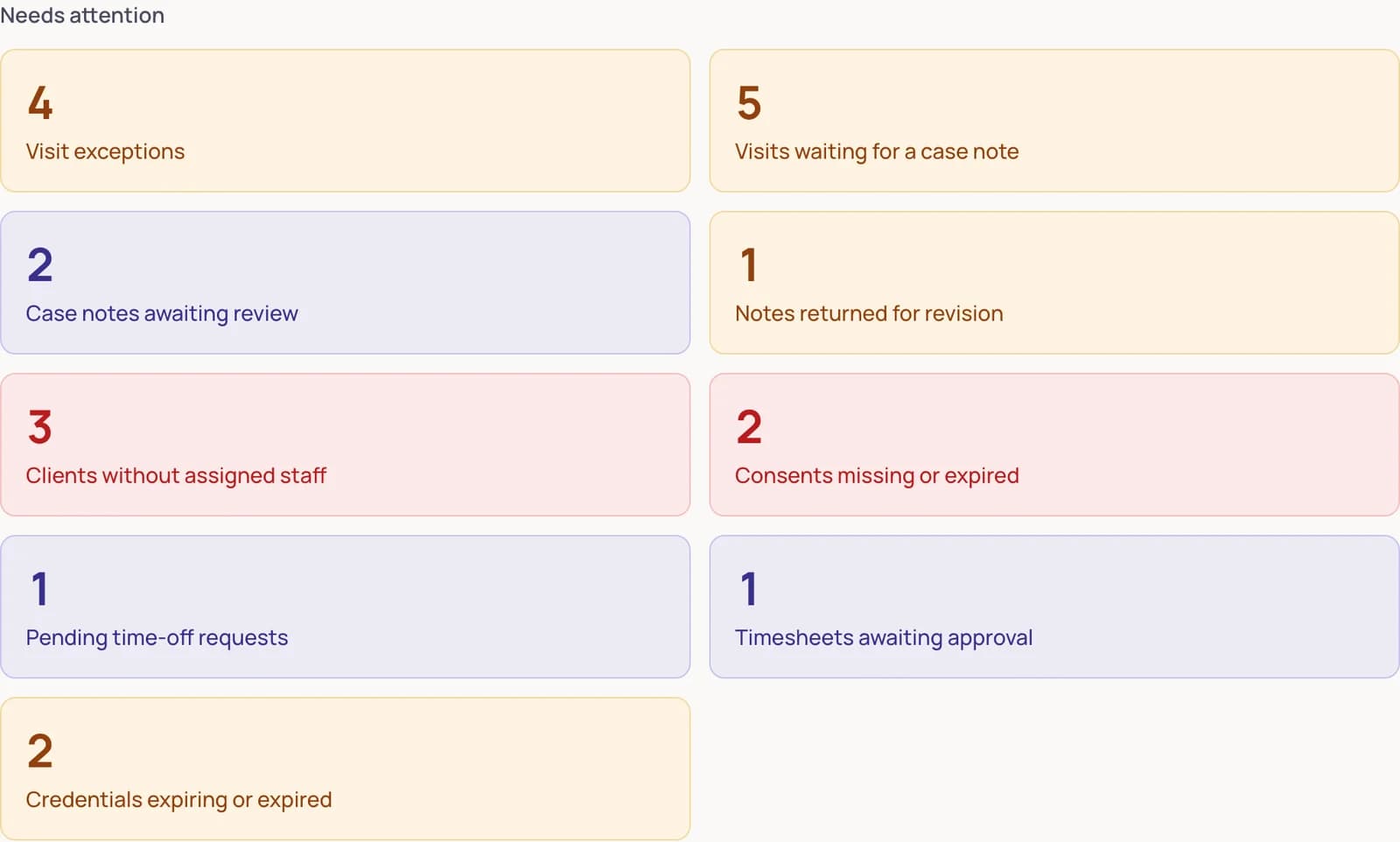
The overview is a to-do list wearing a summary's clothes: visit exceptions, notes awaiting review, clients without assigned staff, expiring credentials, pending time off — and every figure opens the list behind it. If a number cannot be clicked, it is decoration. These all can.
- Who is clocked in right now, and for how long
- Hours by service and caseload per staff member
- Documentation completion, computed over everything — not just the clean visits
- Visit exceptions queued for judgement, never silently dropped
Security06
Security is part of the workflow — not an add-on.
Access follows assignment
Staff see the clients they are assigned to. Ending an assignment removes access immediately — and a record they cannot reach reports not found, never merely forbidden.
Invitation-only accounts
Every account is individual and created by invitation — nobody shares a login. Two-factor enrollment ships with the operational portal before any client data is stored.
Private document delivery
Files live in private storage, delivered through short-lived links. Every upload is hash-checked, size-limited, type-verified and blocked if it looks executable; a malware engine is on the roadmap.
Append-only audit history
Who did what, to which record, and when — including views and exports. It cannot be tidied up afterwards.
Records that hold their shape
An approved note locks. Corrections are addenda, so the original stays exactly as written.
Honest about location
Captured at clock-in and clock-out only. No background tracking, ever — and the demo simulates it rather than asking for yours.
Built and hardened against a working home-care operation that runs on it daily. BAA-ready infrastructure: single-region hosting, TLS everywhere, and no PHI processed until a BAA is in place with the customer. No internet-connected system can guarantee absolute security, and we do not claim otherwise.
Configuration07
Your agency. Your state's rules. One proven platform.
One secure product core, configured in layers — never a fork per customer, and never a guess where a legal requirement belongs to you.
State configuration
Terminology, EVV requirements, record rules, retention — configured to your state's rules, never assumed from somebody else's.
Program configuration
Workflows for the home and community-based services you actually deliver, shaped to your program's requirements.
Agency configuration
Branding, service catalogue, geofence, note deadlines, periods, document visibility, two-factor policy.
Switching08
Switching is the easy part.
Moving years of records is the reason agencies stay on tools they have outgrown. So we built the move itself into the product: you do three small things, the platform does the heavy lifting, and nothing goes live until you have approved it.
You · a short call
Tell us about your agency
Name, state, program. We set up your workspace while we talk.
You · drag & drop
Send us your files
Spreadsheets and exports from whatever you use today. That is your whole job.
Us · automatic
We sort and check everything
Every column identified, every issue found and flagged — before anything moves.
You · one approval
Review one report
Plain language: what moves, what needs a decision. Nothing proceeds without your yes.
Us · with a safety net
You are moved in
Live on ClientCentric, with a rollback window — and every record accounted for.
Migration confidence report
Awaiting your approval| Records | Total | Moving over | With notes |
|---|---|---|---|
| Staff | 24 | 24 | 0 |
| Clients | 61 | 61 | 1 |
| Services | 12 | 12 | 0 |
| Schedules | 215 | 215 | 2 |
312 records — 312 accounted for. Nothing dropped, nothing guessed.
The report an owner approves before anything moves — from the product, not a brochure.
Any starting point
Spreadsheets, CSV or Excel exports — from your current system or a filing cabinet's worth of both.
Nothing moves without your approval
You see the full plan first and approve it in writing. The approval is bound to that exact plan — change anything, and it must be approved again.
Every record accounted for
Imported, merged, archived, or flagged for a decision — each record ends in exactly one documented place. Never silently dropped.
A rollback window after go-live
If anything is wrong in your first weeks, we put everything back exactly as it was — guaranteed by design, not by promise.
The change desk09
Software that changes when you ask it to.
Every agency has the list: the small fix, the report somebody keeps rebuilding by hand, the button that should exist. Most of it dies in the hassle of asking. Here, asking is part of the product.
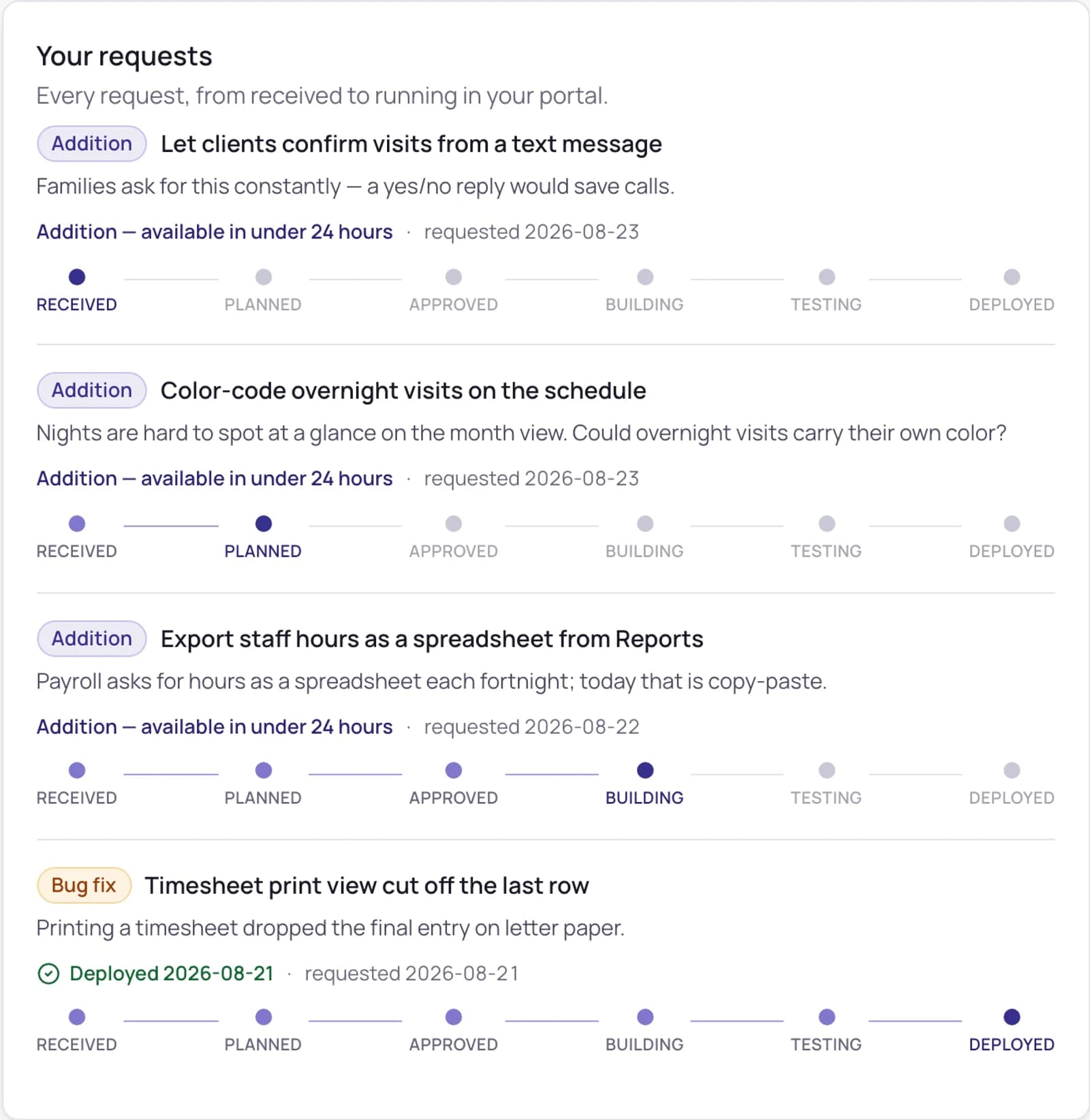
- 01Say it in your own wordsA request form inside your portal — bug fix or addition, no ticket language, no email thread.
- 02A plan, approved by a personYour request is triaged the same business day with a turnaround estimate — and every change is planned, human-reviewed, and tested first.
- 03It ships to this portalYou watch the request move from received to deployed on its own timeline. No release day, no waiting for a quarter.
Estimates shown in the product are typical turnarounds; every request receives a committed estimate when its plan is approved.
See for yourself10
Do not take our word for it. Explore the platform.
No signup. Fictional data. Assign a client and watch a staff member gain access; clock a visit and watch the hours and the documentation obligation appear; approve the note and watch it lock. Everything resets when you refresh.
Questions14
Questions we are asked
Can we request changes ourselves?
Yes. The change desk lives inside the portal: describe a bug or an addition in your own words, and requests are triaged the same business day with a turnaround estimate. Every change is planned, approved by a person, and tested before it reaches you.
Who is ClientCentric for?
Home and community-based care providers — agencies that assign staff to clients, deliver visits, document them, and answer for all of it. State and program configurations are set up deliberately for each agency, never assumed.
Does ClientCentric fit my state's program?
Yes — that is the design. It was built from real-world operations under one of the country's strictest home and community-based care programs, then layered so state, program, and agency configuration adapt it to yours. The core — clients, staff, assignments, visits, documentation, time, audit — is common to this kind of care everywhere.
Can staff see every client?
No. A staff member sees the clients they are actively assigned to. Others are not listed, do not appear in search, and cannot be opened by typing the address. Ending an assignment removes access immediately.
Does ClientCentric replace HHAeXchange?
No. Where a state uses an aggregator, ClientCentric prepares visit records in the shape it expects and holds the configuration your agency needs. We do not describe that as a completed integration until transmission is verified for your deployment.
Does the platform support EVV workflows?
Yes — clocking with location capture at clock-in and clock-out only, visit exceptions, remote and community services, and per-service verification requirements. Services that do not require verification show as not applicable rather than as failures.
Can we use our own branding?
Yes. Branding, services, roles, policies, period lengths, notifications and integrations are configured per agency on one platform — not a separate copy of the software.
Does every employee receive an individual login?
Yes, by invitation. Accounts are invitation-only — every person gets their own, and nobody shares a login.
Does the platform support multi-factor authentication?
Two-factor enrollment ships with the operational portal, before any client data is stored.
Can clients or representatives have portal access?
Planned with the operational portal: a separate space from the staff application, limited to their own record, schedule, notes explicitly shared with them, and messages to their care team.
We run on spreadsheets and an old system today. How painful is switching?
It is designed to be the easy part. You send exports or spreadsheets from whatever you use; the platform sorts and checks every column automatically, flags anything questionable, and produces a plain-language report of exactly what will move. Nothing goes live until you approve that report — and there is a rollback window after go-live. Every record ends in one documented place: imported, merged, archived, or flagged for a decision. Never silently dropped.
Can we import our existing data?
Client and staff records, yes. Historical documentation is preserved as read-only archive rows rather than as editable notes — imported documentation that could be edited afterwards would not be documentation.
Is pricing shown publicly?
No. Pricing depends on agency size and configuration, and we would rather discuss it once we understand how you work.
How do we book a walkthrough?
Use the walkthrough form: tell us a little about your agency, then pick a time that suits you — scheduling happens right on the page.